Where the Game Lives on Your Phone — and Which Path Makes Sense
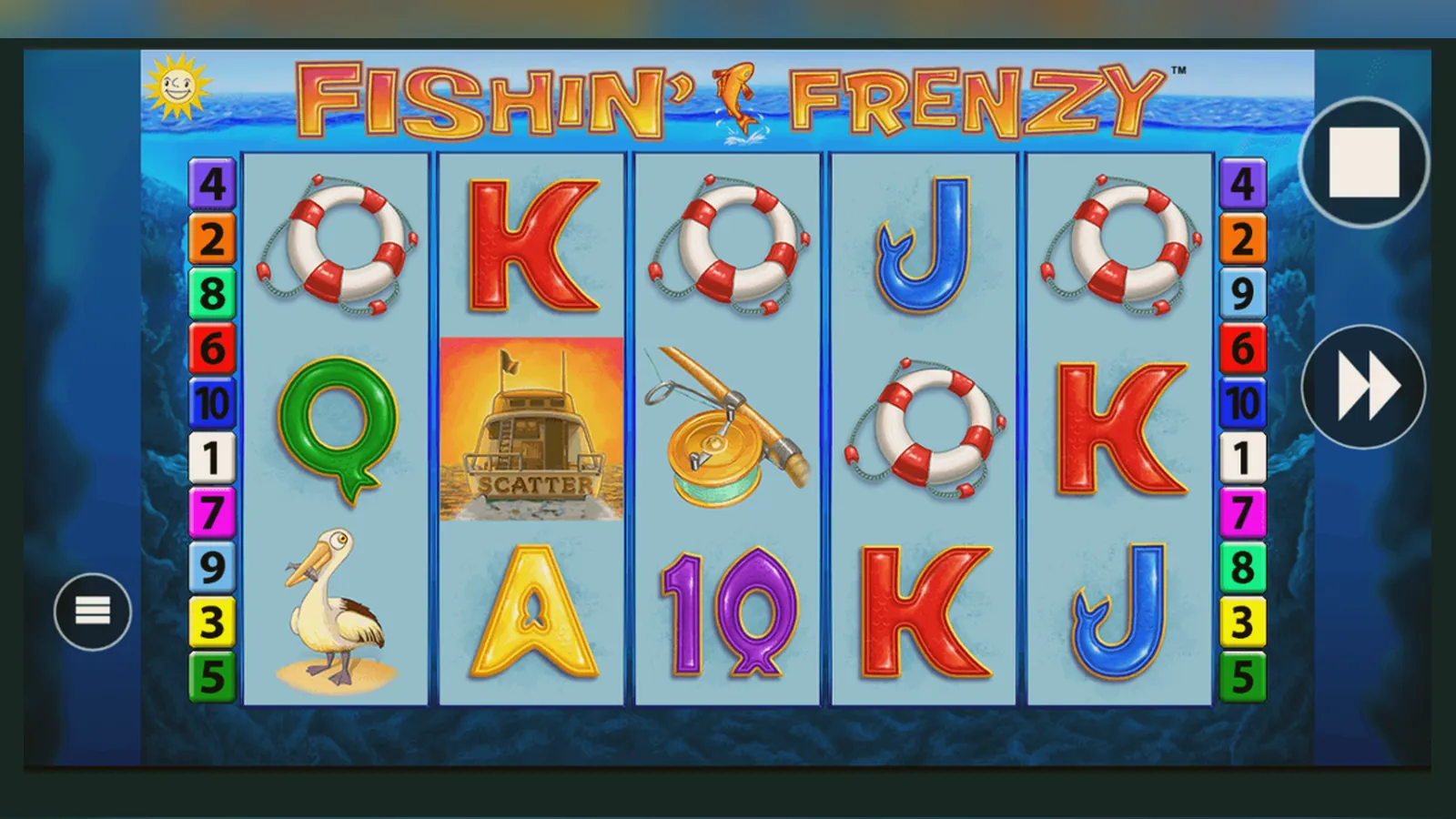
You tap the game tile, the screen fills with animated water, and five reels drop into place. The balance sits at the top — maybe £20.00, maybe £100.00 — and the stake selector shows £0.50. That's the moment where most players assume they're in an app, because the interface feels native and the controls respond instantly. But look at the top edge of your screen: no app chrome, no status bar overlap, just a browser tab you can swipe away. Fishin' Frenzy runs in a mobile browser for most UK players, and the question isn't whether it works — it does — but whether downloading something changes the experience enough to justify the effort.
The difference between Fishin' Frenzy and the adjacent slots in your operator's lobby is that this one often gets installed. Players search for «fishin frenzy app» and «fishin frenzy apk», expecting a standalone file the way they'd download a betting app or a bingo client. What they find instead is a menu of routes: play in the browser, add a web-app shortcut to your home screen, download the operator's real-money app from the Google Play Store or App Store, or — if you're willing to shoulder the risk — grab an APK from a third-party site. Each path trades convenience against security, and the choice depends on how much you trust the source and how often you intend to play.
The Store Card That Doesn't Exist (and What Takes Its Place)
Fishin' Frenzy isn't a standalone app — it's a slot game embedded in casino platforms — so there's no single Play Store listing with a «Fishin' Frenzy by Blueprint Gaming» title and a 4.6-star rating. Instead, you'll see operator apps that host the game. A typical UKGC-licensed casino app might show these specs in the store:
The size varies because the app is a shell: it loads game assets from the provider's servers rather than bundling every slot into the download. Fishin' Frenzy's reels, symbols, and sounds stream in when you launch the game, which is why your first session might stutter on a weak connection but subsequent plays feel smooth. The «In-App Purchases» line is a App Store and Play Store requirement for real-money gambling apps, even though you're not buying virtual goods — you're depositing with a debit card, PayPal, or Apple Pay, and any winnings go to your withdrawable balance.
Four Install Routes, Ranked by Risk and Effort
The safest path is the one that requires no installation at all. The riskiest involves files from sites you can't verify. Here's the spectrum, from lowest to highest friction:
| Method | Risk | Effort | Best For |
|---|---|---|---|
| Browser (Chrome, Safari) | Minimal — HTTPS, no permissions | Zero — open and play | Trying the game, one-off sessions |
| Add to Home Screen | Minimal — still a browser bookmark | Low — two taps, icon on home screen | Regular play without app bloat |
| Operator App (Play/App Store) | Low — vetted by store, UKGC licence | Medium — download, account, KYC | Frequent play, live casino, sports |
| APK from Third Party | High — malware, fake clones, data theft | High — enable unknown sources, manual install | Never recommended |
Most UK players land in the first two categories. The browser route works because modern WebGL support means the game renders at full quality without a native wrapper, and because UKGC operators must enforce £5.00 stake caps (£2.00 for players aged 18–24) and affordability checks from £150.00 net deposits per month regardless of whether you're in a browser or an app. The experience is identical; the difference is whether you want an icon on your home screen.
- Browser Play: Open your operator's site in Chrome or Safari, log in (age verification happens here), navigate to the lobby, tap Fishin' Frenzy. The game loads in the same tab. Risk: none beyond the operator's own security. If the site has a valid UKGC licence number in the footer, you're on solid ground.
- Add to Home Screen (iOS): While playing in Safari, tap the Share icon, scroll down, select «Add to Home Screen», name it, tap «Add». The icon appears with your apps, but it's still a browser bookmark — no permissions, no background processes, no storage beyond cached assets. Android users do the same via Chrome's three-dot menu > «Add to Home screen».
- Operator App (Play Store or App Store): Search for your operator's name, download the official app, open it, create or log into your account. The app will prompt for age and identity documents before your first deposit — this is UK law, not the operator being fussy. Once verified, find Fishin' Frenzy in the lobby. Risk: low if you've confirmed the UKGC register listing. The app may request notifications and location (for responsible-gambling geofencing), but those are optional.
- APK Install (Android only): If you search «fishin frenzy apk download», you'll find sites offering modified casino apps or standalone game files. Don't. These APKs bypass the Play Store's vetting, often bundle adware or credential stealers, and may be rigged to show fake wins that never pay out. Even if the APK is clean, you're installing an app from an unlicensed source, which means no UKGC protections, no GAMSTOP integration, and no recourse if your balance vanishes. The UK Gambling Commission's public register is the only safe way to verify an operator.
What You See When the App Launches
Whether you've opened the browser, tapped a home-screen icon, or launched an operator app, the Fishin' Frenzy interface presents the same five screens. Here's what each one does:
- Lobby Screen: Your operator's game grid, with Fishin' Frenzy tiled among other Blueprint Gaming slots and provider categories. A search bar sits at the top; you can type «fishin» and the game appears. Your balance — let's say £45.00 — is visible in the corner, along with a menu icon for deposits, withdrawals, and settings. Demo mode is sometimes available here if you're logged in and age-verified, but many UK sites lock free play behind the account wall to comply with advertising rules.
- Game Launch Screen: The reels fade in over an underwater backdrop: cartoonish fish, a blue-green gradient, a fisherman in a dinghy at the top. The interface is clean: balance upper left, stake selector lower left, spin button centre-right, paytable and settings icons along the bottom edge. The stake defaults to £0.50 on most operators, but you can adjust it from £0.10 to £5.00 (or £2.00 if you're under 25 and your account reflects that). The autoplay button is there, but with mandatory loss limits and spin caps under UK rules.
- Free Spins Screen: Land three fisherman scatters and the background shifts to open water. The free-spins counter appears top-centre, the reels now show only fish and blanks, and every fish symbol that lands collects into a prize pool. This is the screen you're chasing — the one where a £0.50 spin can theoretically return £50.00 or more if the fisherman appears and collects the accumulated values. Volatility means most free-spins rounds end with £2.00 to £8.00, but the high end is what keeps people playing.
- Paytable Screen: Tap the «i» icon and you'll see the symbol grid and payout values. The game lists returns in coins, not pounds, which can confuse new players. A «10 coins» payout on a £0.50 spin means £0.05, not £10.00. The RTP is stated here — usually 96.00% to 96.12%, though some operators run a lower version at 94.00% or 92.00%. If the paytable doesn't show RTP, check the operator's game-rules page or ask support.
- Transaction History Screen: Accessible from the main menu, this log shows every spin, win, deposit, and withdrawal. UK operators must retain this data and make it available to you on request. If you've hit affordability checks — triggered at £150.00 net deposits per month — the operator may freeze deposits until you provide bank statements or payslips. The history screen is where you reconcile that.
Phone Requirements and What the App Actually Does
Fishin' Frenzy doesn't demand flagship specs. The HTML5 build runs on any phone made in the past five years, provided you've got:
- Operating System: iOS 13 or later, Android 8.0 or later. Older versions may load the game but will struggle with animations.
- Browser: Safari 14+, Chrome 90+, or the operator's in-app browser if you're using their app. WebGL support is required; most phones have this enabled by default.
- Screen Size: 5 inches or larger for comfortable play. The game technically runs on smaller screens, but the stake selector and paytable icons become fiddly.
- Storage: 85 MB for an operator app, negligible (under 10 MB cached) for browser play. The game assets stream in, so you're not storing hundreds of megabytes of reel symbols.
- Connection: 3 Mbps minimum for smooth spins. A weak connection will cause the reels to freeze mid-spin, though the outcome is still determined server-side and will resolve once the connection stabilises.
What the app — or browser session — actually does is render the front-end while the RNG and game logic run on Blueprint Gaming's servers. Your phone sends a spin request, the server calculates the outcome using a certified random-number generator, and your device displays the result. This is why closing the app mid-spin doesn't void the round: the outcome is already determined, and the balance updates on the server. The operator app's job is to handle deposits, withdrawals, and account settings, while the game itself is a module that plugs into that infrastructure.
Version Updates: What Changes and What Doesn't
Operator apps update every few weeks, usually to fix bugs, adjust responsible-gambling controls, or comply with new UKGC guidance. Fishin' Frenzy itself updates less often — Blueprint Gaming might tweak the paytable layout, adjust the free-spins animation timing, or add a «buy bonus» feature in a new variant, but the core game has been stable since its 2014 release. The Megaways version (Fishin' Frenzy Megaways) and The Big Catch sequel introduced variable reel sizes and higher max wins, but the original remains unchanged at 5 reels, 10 paylines, and a £250,000.00 max payout.
A typical update log for a UK operator app might read:
- Version 3.7.2 (18 October 2026): Enhanced affordability-check flow, faster Faster Payments withdrawals (same-day processing for verified accounts), updated GAMSTOP integration to reflect 6-month to 5-year exclusion periods, fixed a bug where the stake cap didn't apply to players aged 18–24 in certain games.
- Version 3.6.9 (12 September 2026): Added Welsh-language support, improved KYC document upload (now accepts e-passports and driving licences with NFC verification), reduced app size by 12 MB by offloading lobby assets to the CDN.
- Version 3.5.4 (3 August 2026): Adjusted Remote Gaming Duty calculation to reflect the April 2026 increase to 40%, resulting in slightly lower bonus offers but no change to game RTPs.
What doesn't change: the RTP, the volatility, the paytable structure. Those are baked into the game's certification and can't be altered without resubmitting to testing labs. If you see an APK claiming «higher payouts» or «unlocked bonuses», it's fake.
Spotting Fake Clones and Permission Red Flags
The UK market sees fewer fake gambling apps than unregulated jurisdictions, but they exist. A clone app might look identical to a legitimate operator's build — same logo, same colour scheme, same game lobby — but under the hood it's either harvesting your payment details or running a rigged RNG that never pays out. Here's how to distinguish real from fake:
- Check the Developer Name: In the Play Store or App Store, the developer field should match the operator's registered company name. If the app is called «Example Casino» but the developer is listed as «FunGames Studio» or «Casino Master Pro», walk away.
- Verify the UKGC Licence: Open the app, navigate to the footer or settings, and look for the UKGC licence number (formatted as «UKGC 000-123456-R-123456-001»). Cross-reference that number in the UK Gambling Commission's public register at gamblingcommission.gov.uk. If the number doesn't appear, or if the app has no licence display, it's operating illegally.
- Review Requested Permissions: A legitimate casino app needs internet access, storage (for cached assets), and optionally notifications and location. It does not need access to your contacts, SMS, call logs, camera (beyond KYC uploads), or microphone. If an APK requests those, it's either malware or a data-harvesting operation.
- Examine the Payment Methods: UK operators accept debit cards, PayPal, Apple Pay, and Open Banking. They do not accept credit cards (banned since 2020) or cryptocurrency. If an app offers «Bitcoin deposits» or «credit card top-ups», it's not UKGC-compliant.
- Test the Withdrawal Flow: A real operator will process withdrawals to the same payment method you used for deposits, and will require KYC documents before your first payout. If an app lets you withdraw instantly to a different account, or if it asks for a «withdrawal fee», it's a scam.
APK files from third-party sites are the highest risk. Even if the game looks genuine, you've bypassed the Play Store's malware scanning and the UKGC's regulatory oversight. The file could install a keylogger, intercept your banking app credentials, or simply vanish with your balance. Stick to the Play Store, the App Store, or browser play — the convenience of an APK isn't worth the exposure.
Why Most Players Don't Bother Installing Anything
The browser route dominates because it's frictionless. You're already on the operator's site, the game loads in under three seconds, and there's no app to maintain or update. The «add to home screen» option splits the difference — you get the icon and the muscle memory of tapping it, but none of the storage or permission overhead of a full app. Operator apps make sense if you're using the same casino for sports betting, live dealer games, and slots, because the unified account and faster deposit flow justify the 85 MB footprint. But if you're only here for Fishin' Frenzy, the browser is enough.
The game's volatility works against habitual installation. A high-volatility slot like this delivers infrequent wins, which means sessions often end in losses, and players who lose £20.00 or £50.00 in one sitting are less likely to keep a casino app on their home screen as a daily reminder. The appeal of Fishin' Frenzy is that you can drop in, spin through a £10.00 deposit, maybe hit a free-spins round, and leave. That behaviour pattern favours ephemeral access over installed software.
If you do install an operator app, treat it like any financial app: enable biometric login, set deposit limits from day one (the operator will prompt you, but you can adjust them in settings), and check your transaction history weekly. The app will enforce the £5.00 stake cap automatically, and if you're under 25, the £2.00 cap applies regardless of what you enter in the stake selector. Affordability checks start at £150.00 net deposits per month, using credit-reference data at the first stage, so expect a pause if you hit that threshold. The checks are a UKGC requirement, not the operator being obstructive.
FAQ
Can I play Fishin' Frenzy on an iPhone without downloading an app?
Yes. Open Safari, navigate to a UKGC-licensed operator, log in, and launch the game. It runs in the browser with full functionality. If you want an icon on your home screen, use Safari's «Add to Home Screen» feature — it's still a browser bookmark, not a native app, so no permissions or storage overhead.
Are Fishin' Frenzy APK files safe to install?
No. APKs from third-party sites bypass the Play Store's vetting and the UKGC's licensing controls. They may contain malware, rigged RNGs, or credential stealers. Stick to the Play Store, App Store, or browser play from a licensed operator whose UKGC register number you've verified.
Why does my operator app ask for bank statements when I try to deposit £200.00?
UK affordability checks start at £150.00 net deposits per month. Operators use credit-reference data first, and if that raises flags or you exceed the threshold, they'll request documents like bank statements or payslips. This is a UKGC requirement to prevent gambling-related harm, not the operator being intrusive.
Do I need to update the game separately from the operator app?
No. Fishin' Frenzy updates automatically when Blueprint Gaming pushes changes to its servers. The operator app updates handle account features, payment flows, and compliance tweaks, but the game itself streams from the provider's CDN. You'll always play the latest version without manual intervention.